Image source: https://centralinnovation.com/assets/STR04-26GA-Angular-Displacement-Plot-Options.png
Every engineering team has had that moment. A part comes back from the laser cutter and it doesn't fit. Someone has to tell the production manager the job is running late, and someone else has to tell the customer why the invoice just changed. None of that shows up on a spreadsheet labelled "design error cost," but it's real money, and it adds up fast. The frustrating part is that the mistake usually wasn't carelessness. It was a clash nobody spotted until the metal was already cut, or a load path nobody tested until the frame failed on the bench. That's the gap SolidWorks, the industry standard 3D CAD platform, along with the tools built around it, is designed to close: catching problems on screen instead of on the shop floor.
The Real Cost of a Design Error You Don't Catch Early
A design error rarely announces itself as a design error. It shows up as wasted sheet metal, a machine sitting idle while someone reworks a bracket, or a delivery date that quietly slips by a week. Add up the material, the labour, and the machine time on a single reworked part and it's often more than the software line item some managers complain about every renewal. Then there's the cost nobody puts in a spreadsheet at all: the customer who starts asking for extra sign-off on every drawing because the last job went wrong. Some teams will say their drawing review process already catches this, and to be fair, a good review does catch obvious drafting mistakes. But a manual check of a 2D drawing won't tell you whether a weld will hold under real load, or whether a bracket flexes more than the spec allows once it's actually bolted into an assembly. Those failures only show up once the part exists in the real world, which is exactly the point where fixing them costs the most.
Why Even Careful Engineering Teams Miss These Mistakes
Most of the time it isn't a lack of skill. It's the process around the skill. Files get saved to a shared drive with names like "bracket_v3_final_actual," and by the time three people have touched an assembly, nobody is entirely sure which version is the real one. Someone builds on an outdated part, the error travels downstream, and it isn't caught until fabrication. On top of that, plenty of teams still treat structural testing as something that happens after a prototype is built, not before. That's understandable when quoting deadlines are tight and there's pressure to get a design out the door. But it means the first real test of whether a part can handle its load is also the most expensive one to fail. The good news is that both of these problems, version confusion and late-stage testing, are exactly what modern CAD tooling was built to solve.
How Simulation and Version Control Stop Errors Before Fabrication
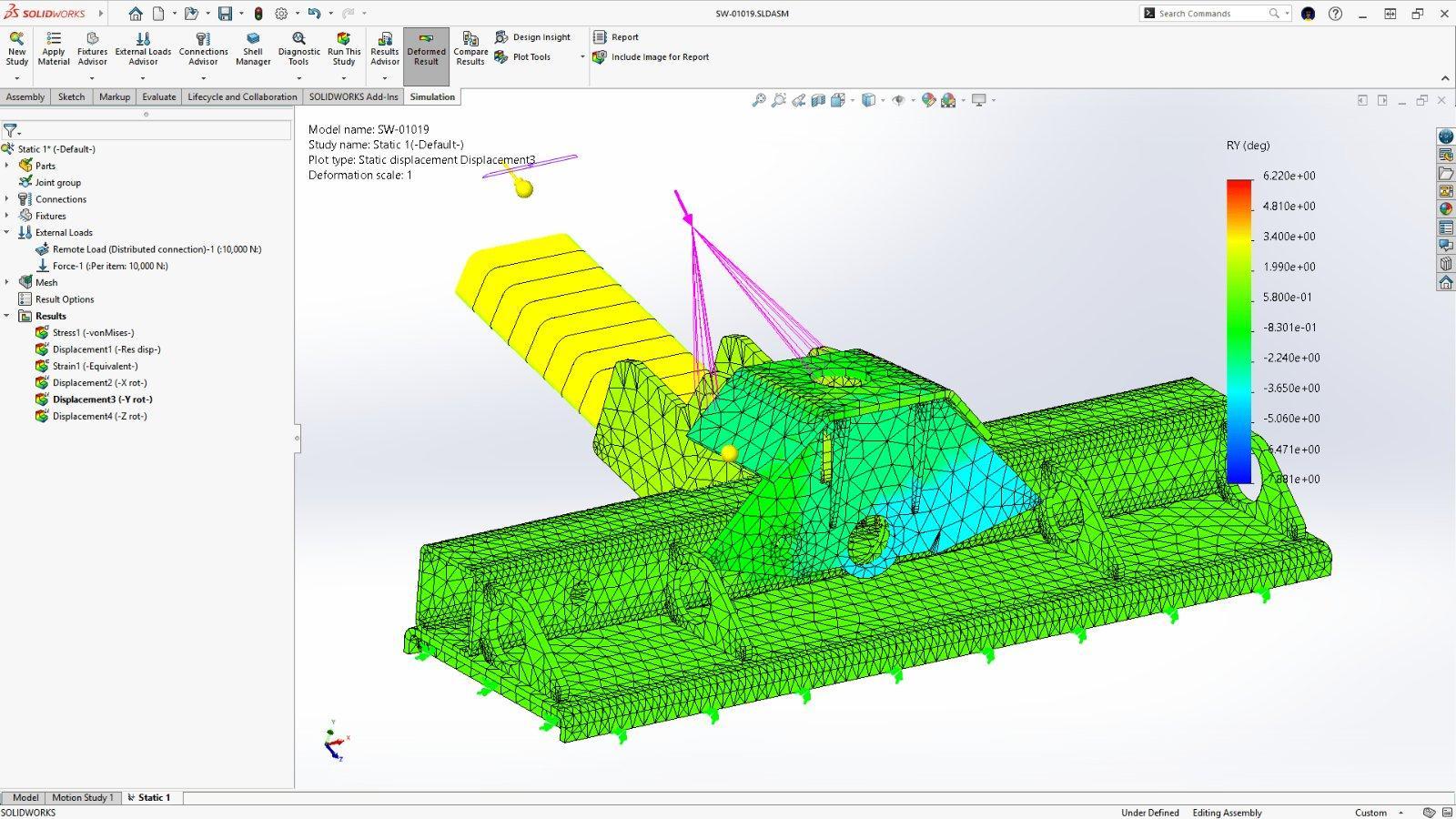
This is where the difference between basic modelling and a properly set up CAD environment actually shows up in dollars. SolidWorks Simulation runs stress, motion, and flow studies directly inside the CAD environment, before a single sheet of material is cut. Picture an engineer designing a support bracket for a piece of processing equipment. Instead of guessing at a safety factor and sending it to the floor, they run a static study, see exactly where the stress concentrates around a bolt hole, and adjust the fillet before the drawing ever gets released. That's a fix that costs a few minutes on screen rather than a scrapped part and a delayed shipment. Alongside simulation, SolidWorks PDM manages and version-controls CAD files across the whole team, so everyone is working from the correct, current revision instead of a copy someone forgot to update. It sounds unglamorous, but a huge share of downstream design errors trace back to exactly this: two people editing two different "latest" versions of the same assembly. For teams that quote a lot of design variants, DriveWorks is worth a mention too, since it automates variant design, quoting, and documentation, which cuts down the manual copy-and-paste errors that creep in when a busy engineer is reconfiguring the same base design for the tenth time this month. And increasingly, SolidWorks AI companions bring practical, everyday assistance into that same modelling process, flagging things worth a second look while the design is still in progress rather than after it's out the door. None of this removes the need for a skilled engineer. It just means their judgment gets applied earlier, when a change is cheap, instead of later, when it isn't.
What Local Expertise Adds When You Make the Switch
Buying the software is the easy part. Setting up PDM properly across a team, or getting simulation actually built into the design workflow rather than treated as an occasional extra step, takes some guidance, and this is where it matters who you buy from. Central Innovation is the largest SolidWorks reseller in Australia and New Zealand, with more than three decades in the region and a support team that's entirely domestic, so your data and your questions stay local rather than being routed offshore. That matters more than it sounds like it should when you're mid-project and need an answer the same day, not the same week. It's also reflected in the numbers: Central Innovation reports customer satisfaction sitting around 98 percent, which for a technical product like CAD software is a fairly high bar to clear consistently.
Design errors are expensive precisely because they hide in plain sight until a part is already built. The fix isn't more careful people, though careful people help. It's giving those people tools that catch the problem while it's still just a few lines on a screen. If your team is still finding these issues on the shop floor instead of before it, it's worth a conversation with Central Innovation about what SolidWorks Simulation and PDM would actually look like inside your workflow.